

Most AI portraits fail in the same spot: the skin. It comes out too smooth, almost like plastic, and the whole face stops looking real. The fix is not a better tool. It is a better prompt.
A realistic AI portrait prompt tells the model exactly what a real camera would capture: skin texture, the way light falls, the depth behind the subject. When you spell those out, both Gemini and ChatGPT can produce faces that look like a real photo session instead of a cartoon.
Below are 15 realistic AI portrait prompts you can copy and paste right now. Each one is written for Gemini and ChatGPT (GPT Image), and you can change the parts inside [square brackets] to match the person or mood you want. Some are simple. Some are detailed. Try a few and see which style fits your photos.
How to Use These Portrait Prompts
Open Gemini or ChatGPT, paste a prompt into the message box, and hit send. If you want the portrait to look like a specific person, upload a clear reference photo first, then add the prompt and tell the model to keep the face the same.
Anything inside [square brackets] is yours to change. Swap [young man] for the subject you want, or change [navy blue shirt] to any outfit. Keep the technical words like skin texture and soft lighting the same, because those are the parts that make the portrait look real. Change one thing at a time so you can see what each word does.
1. Natural Studio Portrait
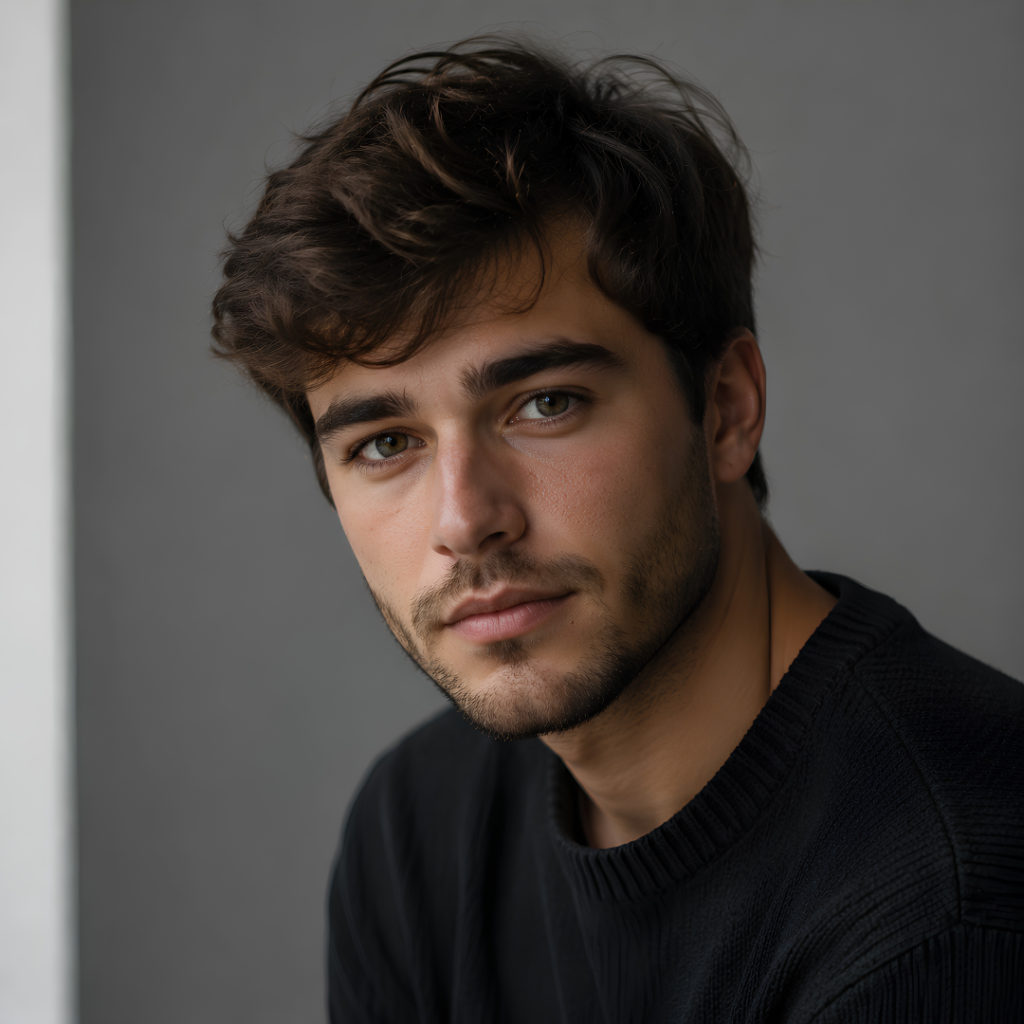
The words “visible pores” and “85mm lens” do most of the realism here. Skip them and the face flattens out.
2. Golden Hour Outdoor Portrait
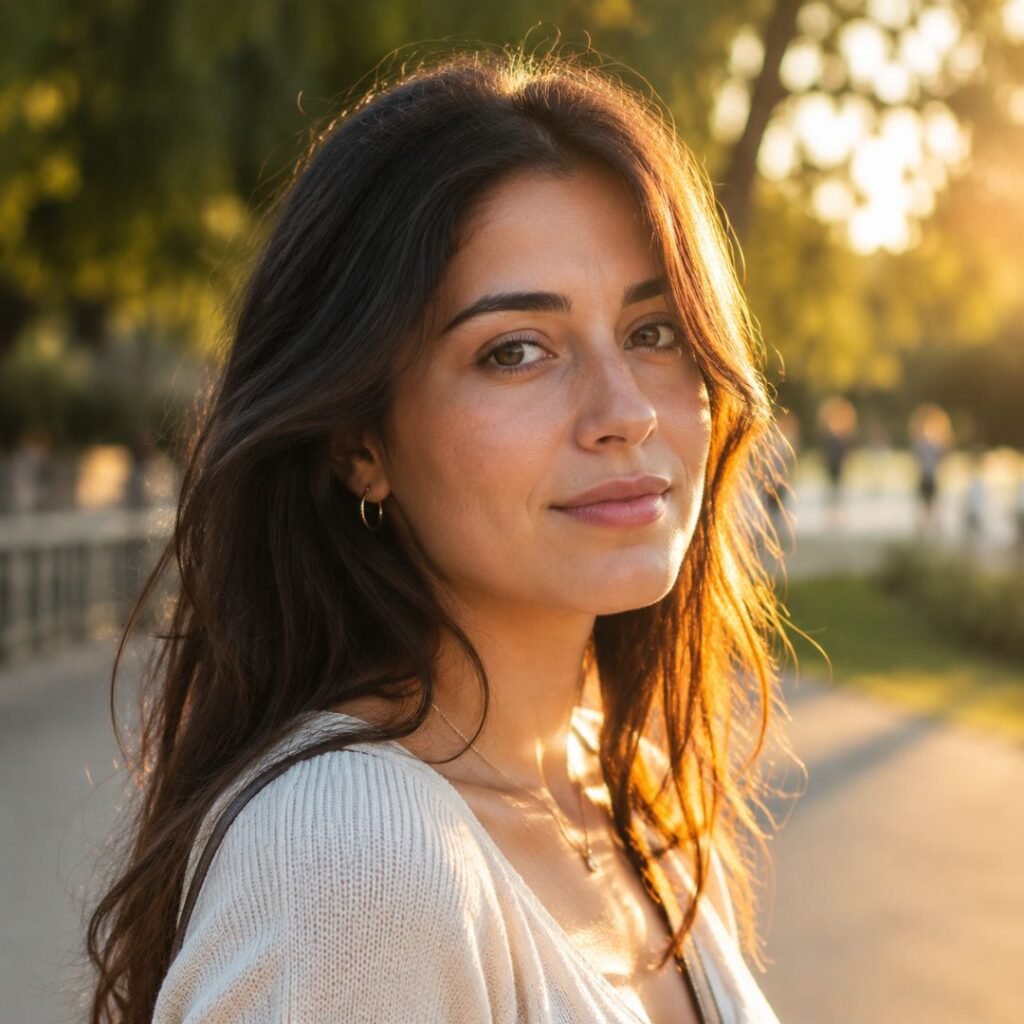
Golden hour light hides flaws and adds instant warmth. This one works well for social media profile pictures.
3. Moody Low-Light Portrait
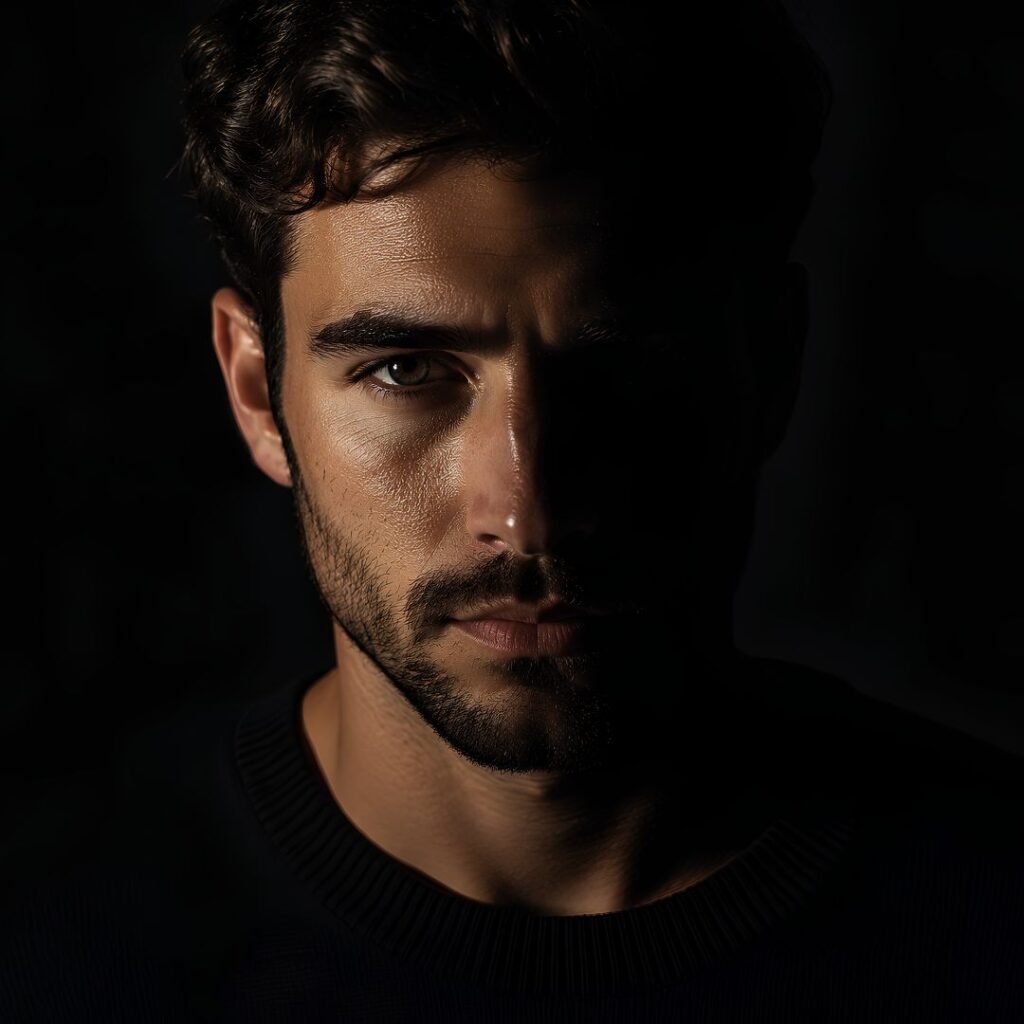
4. Corporate Headshot

Even, shadow-free lighting is the trick for a business headshot. It keeps the face clear and trustworthy.
5. Black and White Portrait
A high-contrast black and white portrait of a [man] deep in thought, textured skin, strong side lighting, dark background, fine grain, timeless editorial style, sharp detailed eyes.Black and white forgives color problems and looks expensive on its own.
6. Outdoor Street Portrait
A candid street portrait of a [young woman] on a city sidewalk at dusk, warm streetlights behind her, soft bokeh, direct but natural expression, realistic skin, 35mm film look.7. Cyberpunk Neon Portrait
An ultra-realistic portrait of a [young man] in a neon-lit city at night, pink and blue light reflecting on his face, wet street behind him, futuristic mood, detailed skin, cinematic sci-fi style.This neon look is trending hard on social media right now. If the face comes out too dark, lower the neon and add “soft light on the face” to the prompt.
8. Soft Beauty Portrait
A soft beauty portrait of a [woman] with glowing natural skin, gentle diffused lighting, pastel background, subtle makeup, delicate detail in the hair and eyes, clean and fresh look, realistic photography.9. Rugged Outdoor Portrait
A rugged portrait of a [man] with light stubble outdoors in cold weather, overcast natural light, mountains softly blurred behind him, realistic skin with texture, calm confident expression, documentary style.Overcast light is soft and flattering, which is why photographers love cloudy days.
10. Vintage Film Portrait
A [person] photographed in a 1970s film style, warm faded colors, soft grain, gentle light leaks, nostalgic mood, natural skin texture, shot on vintage 35mm film.Naming a decade and film type works better than just writing “vintage.”
11. High Fashion Editorial
A high-fashion editorial portrait of a [model] in [bold red clothing], studio lighting with a strong shadow, seamless colored backdrop, striking pose, magazine cover quality, ultra-detailed and sharp.12. Warm Indoor Portrait
A cozy indoor portrait of a [woman] near a window on a rainy day, warm indoor light mixing with cool light from outside, soft focus, calm mood, realistic skin and hair detail, intimate lifestyle photography.13. Cultural Traditional Portrait
An elegant portrait of a [young woman] in traditional [saree] with detailed fabric and jewelry, soft natural lighting, warm tones, blurred cultural background, preserve realistic facial features, cinematic 8K detail.Great for weddings and festival posts. Keep “preserve realistic facial features” if you use a reference photo.
14. Fitness Portrait
A realistic fitness portrait of a [man] after a workout, natural sweat on the skin, gym lighting, focused expression, defined detail, shot with a sharp lens, athletic and energetic mood.15. Classic Formal Portrait
A classic formal portrait of a [man in a dark suit], studio setup, soft key light with a subtle rim light behind, neutral background, dignified expression, sharp detail, timeless professional style.Why Your AI Portraits Look Fake
The most common reason is asking for a “beautiful portrait” and nothing else. That gives the model no detail to work with, so it defaults to smooth, plastic skin. Always describe the skin, the light, and the background.
When I started, I left out lighting completely and could not understand why every face looked flat. Adding one line about the light source changed everything.
Another mistake is stacking too many styles into one prompt. Cyberpunk plus vintage plus studio in the same request confuses the model. Pick one look. And if you are editing a real photo, always tell the AI to keep the facial features the same, or it will invent a new face.
Frequently Asked Questions
Which is better for realistic portraits, Gemini or ChatGPT?
Both are strong in 2026. Gemini is often better at reading a reference photo and keeping the same face, while ChatGPT’s image model handles detailed written instructions well. Try the same prompt in both and keep the result you like.
How do I keep my own face in an AI portrait?
Upload a clear, well-lit photo of yourself first. Then add your prompt and include a line like “keep the facial features exactly the same.” This tells the model to edit around your face instead of creating a new person.
Why does the skin look too smooth?
Smooth, waxy skin means the prompt did not ask for texture. Add words like “natural skin texture,” “visible pores,” and “fine detail.” These force the model to add the small imperfections that make skin look real.
Can I use these AI portraits commercially?
It depends on the tool’s terms and your country’s laws, which are still changing. Check the rules of Gemini or ChatGPT before selling anything you make, especially if it includes a real person’s likeness.
Which Prompt Should You Try First?
If you are new to this, start with prompt #1 (Natural Studio Portrait). It is the most forgiving and shows you exactly how skin texture and lighting words change the result. The trickier one is #7 (Cyberpunk Neon), because heavy neon lighting can wash out the face if you are not careful.
Pick one prompt, run it, then change a single word and run it again. That side-by-side habit will teach you faster than copying fifty prompts. When you are ready for more, browse the rest of the image prompts in the WillingPrompt library.