
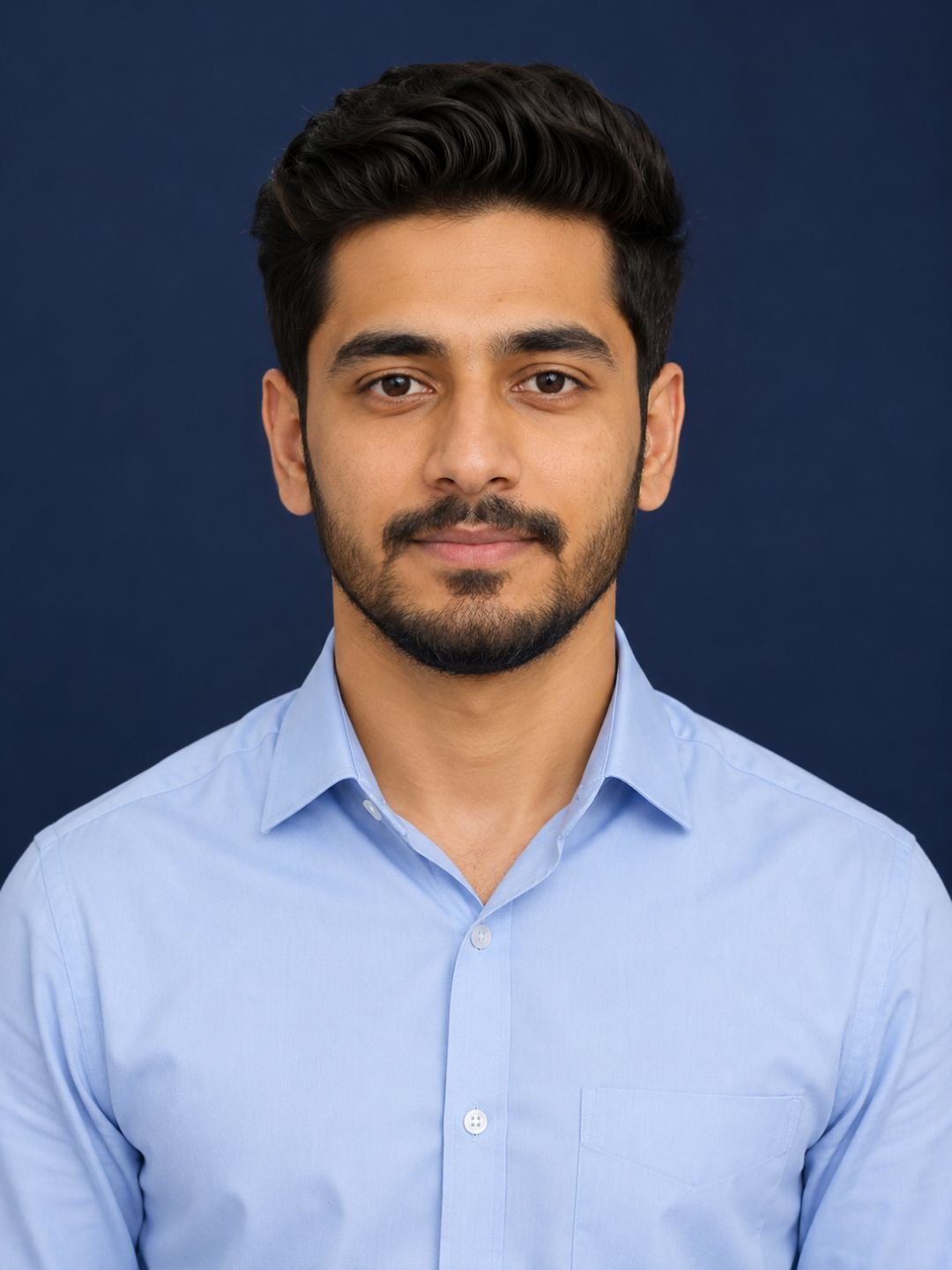
This CV photo prompt turns a plain description into a clean, recruiter-ready headshot in ChatGPT or Gemini. You get even studio lighting, a plain navy background, and a neutral confident expression — the exact style HR departments and visa offices expect. Paste it as-is and the first result is usually good enough to use.
The prompt
A professional CV photo of a young man in a light blue formal shirt, plain navy blue background, even soft lighting, neutral confident expression, front-facing, sharp focus, vertical 3:4 aspect ratio.
What this prompt does
Each phrase here solves a specific problem that ruins most AI headshots.
- Plain navy blue background removes every distraction. Busy backgrounds are the number one reason CV photos get rejected by employers and photo-checking software.
- Even soft lighting stops the model from adding dramatic shadows. Dramatic light looks great on Instagram and terrible on a resume.
- Neutral confident expression keeps the smile subtle. Big grins read as informal; no expression reads as a mugshot. This phrase lands in the middle.
- Vertical 3:4 aspect ratio matches the standard passport-style crop that CV templates and application portals expect, so you never have to re-crop.
Best settings
| Aspect ratio | 3:4 — already in the prompt, do not change it |
| ChatGPT | Works as-is. To use your own face, upload a photo first and add “use my uploaded photo as the subject, keep my real facial features”. |
| Gemini | Same method — upload a clear, front-facing photo in good light for the best match. |
| Midjourney | Not recommended for CV photos of yourself — it cannot keep your real face accurately. |
3 variations
Female version
Replace “a young man in a light blue formal shirt” with “a young woman in a white blouse” or “a woman in a dark blazer”. Everything else stays the same — the background and lighting rules do not change with the subject.
White background (visa and passport style)
Change “plain navy blue background” to “plain pure white background, no shadows on the background”. Many visa applications and some countries’ CV standards require white specifically, so check the requirement before generating.
Corporate LinkedIn version
Swap the shirt for “a dark charcoal blazer over a white dress shirt” and change the background to “softly blurred modern office interior”. This reads more senior and works better for LinkedIn than the flat studio look.
Common mistakes
- Skipping the photo upload. Without your own photo as reference, the model invents a random person. For an actual CV, always upload your photo and tell the model to keep your features.
- Asking for a smile. Adding “smiling” usually produces an exaggerated toothy grin. If you want warmth, use “slight natural smile” instead.
- Using a casual source photo. The model can change clothes and background, but a blurry, badly lit source photo produces a blurry, fake-looking result. Start with a sharp, front-facing photo.
- Over-editing afterwards. Heavy smoothing makes the photo look AI-generated at a glance. Recruiters notice — keep the natural skin texture.
Frequently asked questions
Does this CV photo prompt work in Gemini?
Yes. Paste it into Gemini with image generation, and upload your own photo first if you want the headshot to actually look like you. The wording needs no changes between ChatGPT and Gemini.
Can I use an AI photo on my actual CV?
For most private-sector jobs, yes — it is treated like a retouched studio photo. For passports, visas and government IDs, no: those require a real photograph taken to official standards.
Why does the result not look like me?
You most likely generated without uploading a reference photo. Upload a clear front-facing picture and add “keep my real facial features, do not change my face” to the end of the prompt.
What should I wear in the source photo?
Anything — the prompt replaces your clothing with the formal shirt. What matters in the source photo is good light on your face, a straight-on angle, and no sunglasses or heavy shadows.
More prompts like this
Need a photo for something less formal? The night street portrait prompt makes a strong social profile picture, and the black and white portrait prompt works well for creative portfolios. For the full collection, see our 15 realistic AI portrait prompts guide.
Browse all image prompts.