
Nano Banana is Google’s image model inside Gemini, and it is strongest at editing your own photos and rendering clear text. Copy a prompt, open Gemini, upload your photo, and change the parts in brackets.
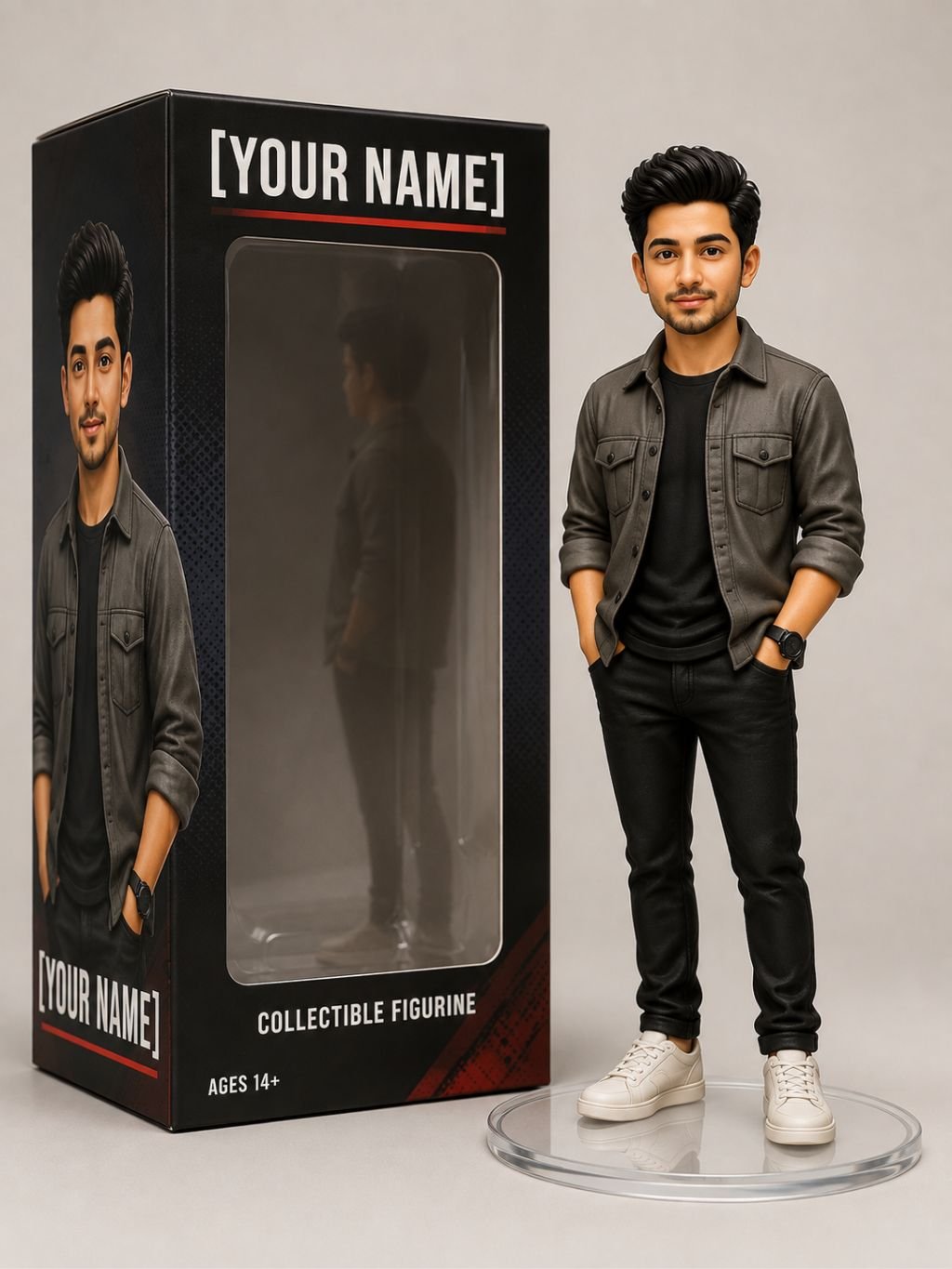
Turn the person in the uploaded photo into a high-quality 3D collectible figurine, keeping the face clearly recognizable from the reference. Give it clean toy-like proportions and a smooth matte finish, standing on a small round [clear] display base. Place a printed box beside it that reads “[YOUR NAME]” in bold lettering, with soft studio lighting, a plain background, and sharp product-photography detail.
The 3D figurine look is one of the most shared AI photo styles right now, and Gemini’s Nano Banana model handles it well because it keeps a real face intact while restyling the body into a toy. The key words doing the heavy lifting are “collectible figurine,” “matte finish,” and “product photography” — these push the model toward a clean, shelf-ready toy instead of a flat cartoon. Keeping the face “clearly recognizable from the reference” matters, because without that line the model often drifts and invents a new face.
Change the base color in brackets to match your style — clear looks premium, while black or white feels more like a display piece. Swap “[YOUR NAME]” for whatever you want printed on the box: your name, a nickname, or a brand. You can also add a small personal detail, such as “holding a tiny camera,” to make the figure feel like you.
Upload a clear, well-lit photo where the face is sharp and facing the camera — blurry or side-angle photos give weaker figures. If the result looks too cartoonish, add “realistic plastic texture.” If the box text comes out messy, keep the name short, since shorter words render more cleanly. Run it two or three times and pick the sharpest version.
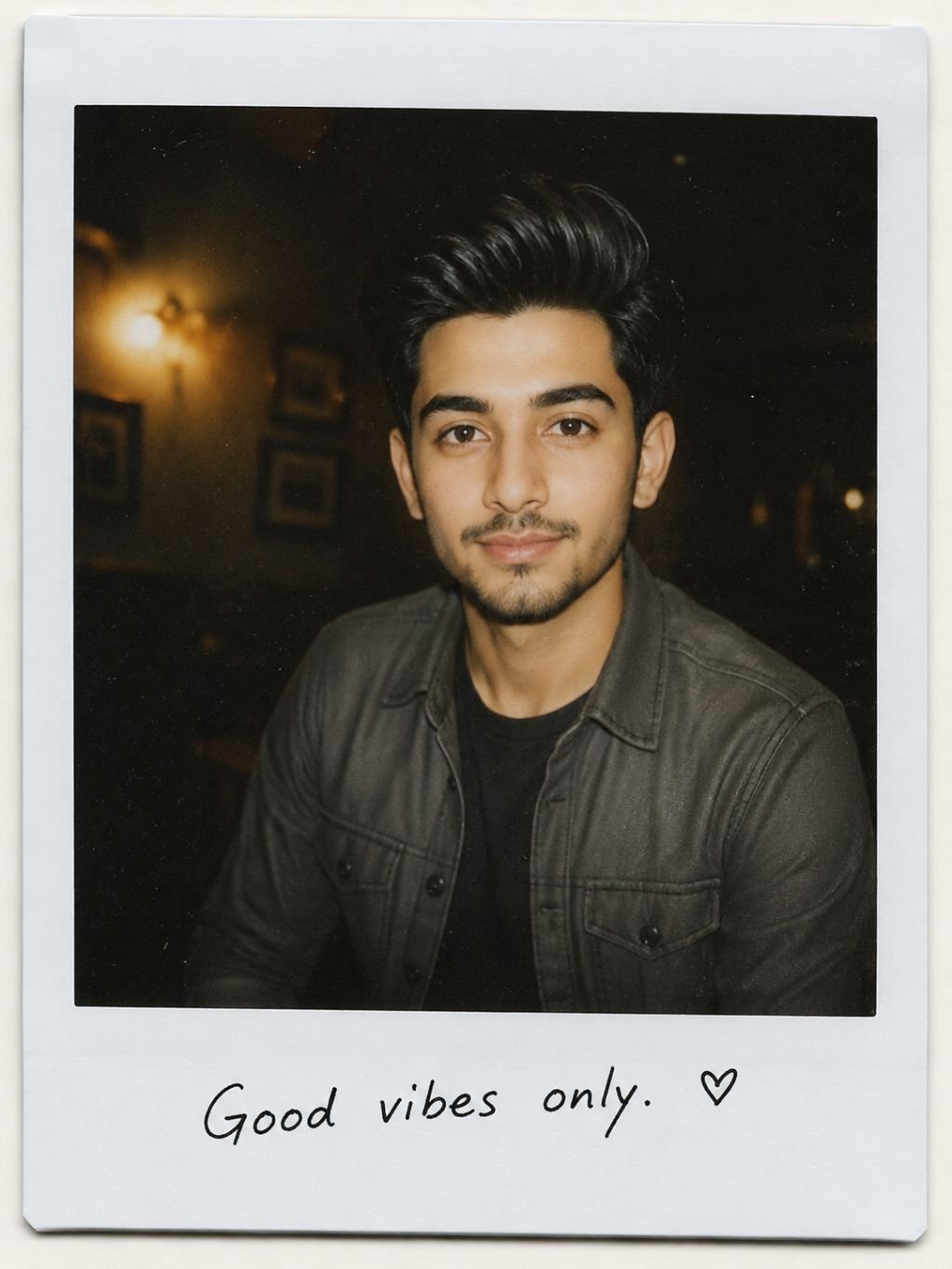
Convert the uploaded photo into a Polaroid-style snapshot, keeping the face unchanged. Make it look like a casual instant picture taken in a [dimly lit room] with a slight flash, soft blur, gentle grain, and warm faded tones, as if it is a real physical photo. Add a plain white Polaroid frame with a short handwritten note reading “[your text]” along the bottom.
The Polaroid trend is popular because it turns a normal digital photo into something that feels like a real memory. The important cues are “slight flash,” “grain,” “faded tones,” and the “white Polaroid frame” — together they trick the eye into seeing a physical print instead of a clean phone photo. Nano Banana is strong at rendering the handwritten note clearly, which is what makes this look feel authentic and personal rather than generic.
Change the setting in brackets — a dim room, a car at night, or a party all give different moods. Replace “[your text]” with a date, a name, or a short line like “best day ever.” Keep the handwriting note short so it stays neat.
Use a candid, relaxed photo rather than a posed studio shot — the casual feel is the whole point. If you want a stronger vintage effect, add “1990s film look” or “disposable camera.” If the flash looks too harsh, add “soft flash.” Small wording changes shift the mood a lot, so try a couple of versions.
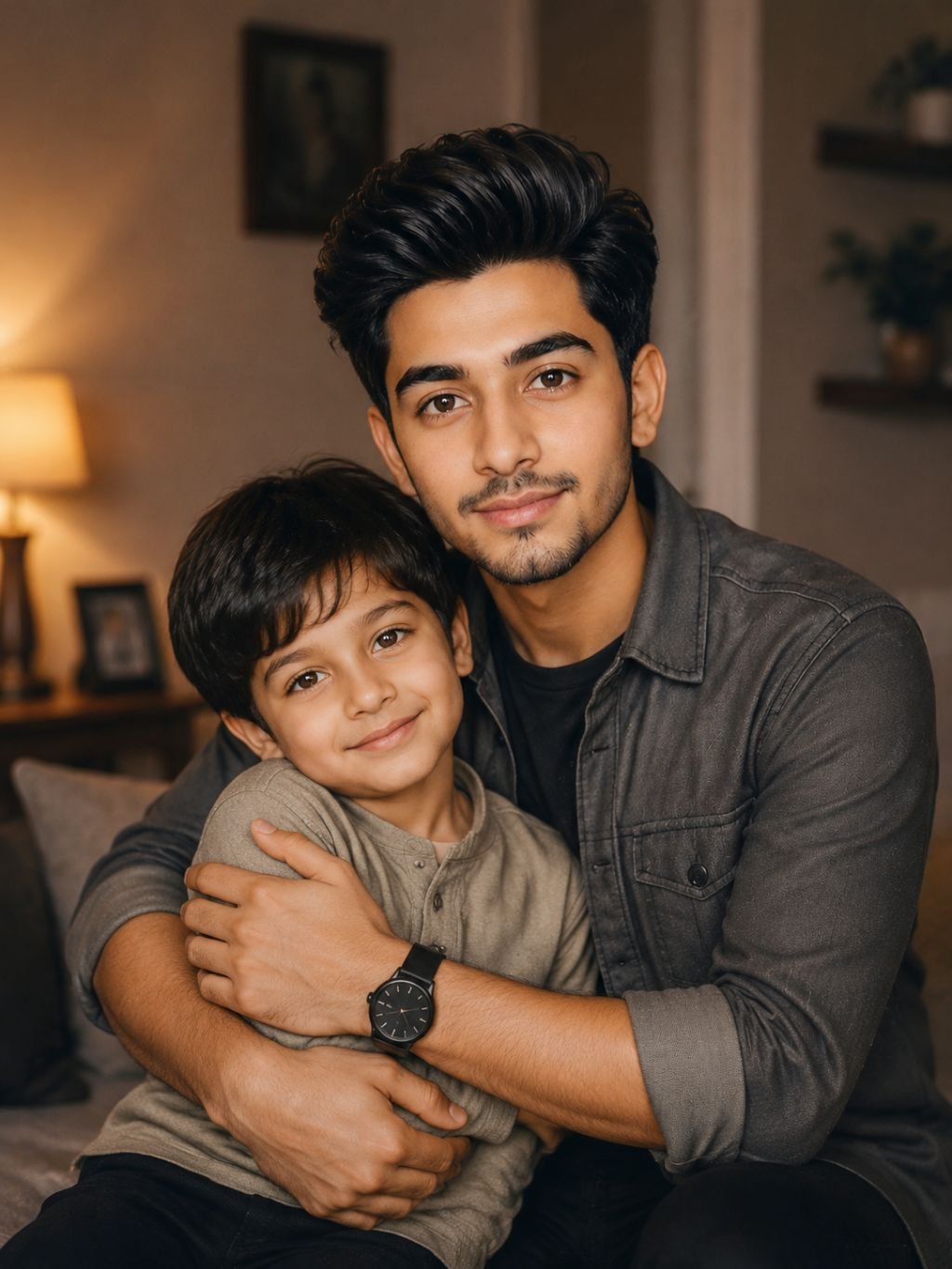
Using the two uploaded photos — my current photo and my childhood photo — create a single warm image where my present self is gently hugging my younger self. Keep both faces true to the references. Soft nostalgic lighting, a [simple home] background, gentle film tones, and a natural, emotional feel. Both people fully in focus.
This is one of the most emotional and viral AI edits, and it needs two uploads — your photo now and a photo from childhood. The model blends both into one scene while keeping each face recognizable. The words “gently hugging,” “nostalgic lighting,” and “both people fully in focus” guide it toward a soft, believable moment instead of a stiff collage. Because two faces are involved, clear reference photos make a big difference here.
Change the background in brackets to something meaningful — a home, a garden, or a plain studio. Adjust the tone words (warm, soft, film) to set the mood. You can also describe the pose, such as “the child looking up and smiling.”
Upload two clear, front-facing photos with the faces well lit. If the younger self looks too big or small, add a height note like “the child reaches my waist.” Run it a few times, since blending two people is harder than a single portrait and results vary.

Turn the uploaded photo into a professional business headshot, keeping the face identical to the reference with realistic skin texture. Person wearing [a dark blazer], soft studio lighting, a plain [light grey] background, sharp eyes, and a natural confident expression. Clean, high-resolution corporate portrait suitable for LinkedIn.
The professional headshot is an evergreen prompt — people search for it all year, not just during a trend. It works by asking for “realistic skin texture” and “soft studio lighting,” which stop the model from making skin look plastic or over-smoothed. “Sharp eyes” and “natural confident expression” are what separate a real-looking headshot from an obvious AI face. Keeping the face “identical to the reference” is essential so it still looks like you.
Change the outfit in brackets — a blazer, a shirt, or formal wear to match your field. Swap the background color; light grey and soft blue are the safest for professional use. You can add “friendly slight smile” if a neutral look feels too stiff.
Start with a sharp, front-facing photo — headshots need a clear face more than any other style. Keep the background simple. If the skin looks too smooth, add “visible skin detail, natural pores.” Avoid busy patterns on clothing, since they can confuse the model.

Create a cinematic movie poster featuring the person in the uploaded photo as the lead, face kept true to the reference. [Action-thriller] mood, dramatic lighting, a [city at night] background, with the large title “[MOVIE TITLE]” at the top and a small tagline “[your tagline]” below. Realistic film-poster composition with clean space left for the text.
A movie poster is a fun, high-impact edit, and Nano Banana suits it because it can render the title text cleanly — something older image models struggled with. The cues “cinematic,” “dramatic lighting,” and “film-poster composition” push the layout toward a real poster with proper framing. Asking it to leave “clean space for the text” helps the title sit correctly instead of being hidden behind the subject.
Change the genre in brackets — action, romance, horror, or comedy each change the whole mood. Swap the background to fit the story. Replace the title and tagline with your own; keep the title short so the text stays crisp.
Use a strong, expressive photo, since posters rely on a confident pose. If the text comes out wrong, shorten the title to one or two words. Add the genre clearly, because “action-thriller” and “romance” produce very different lighting and colors.
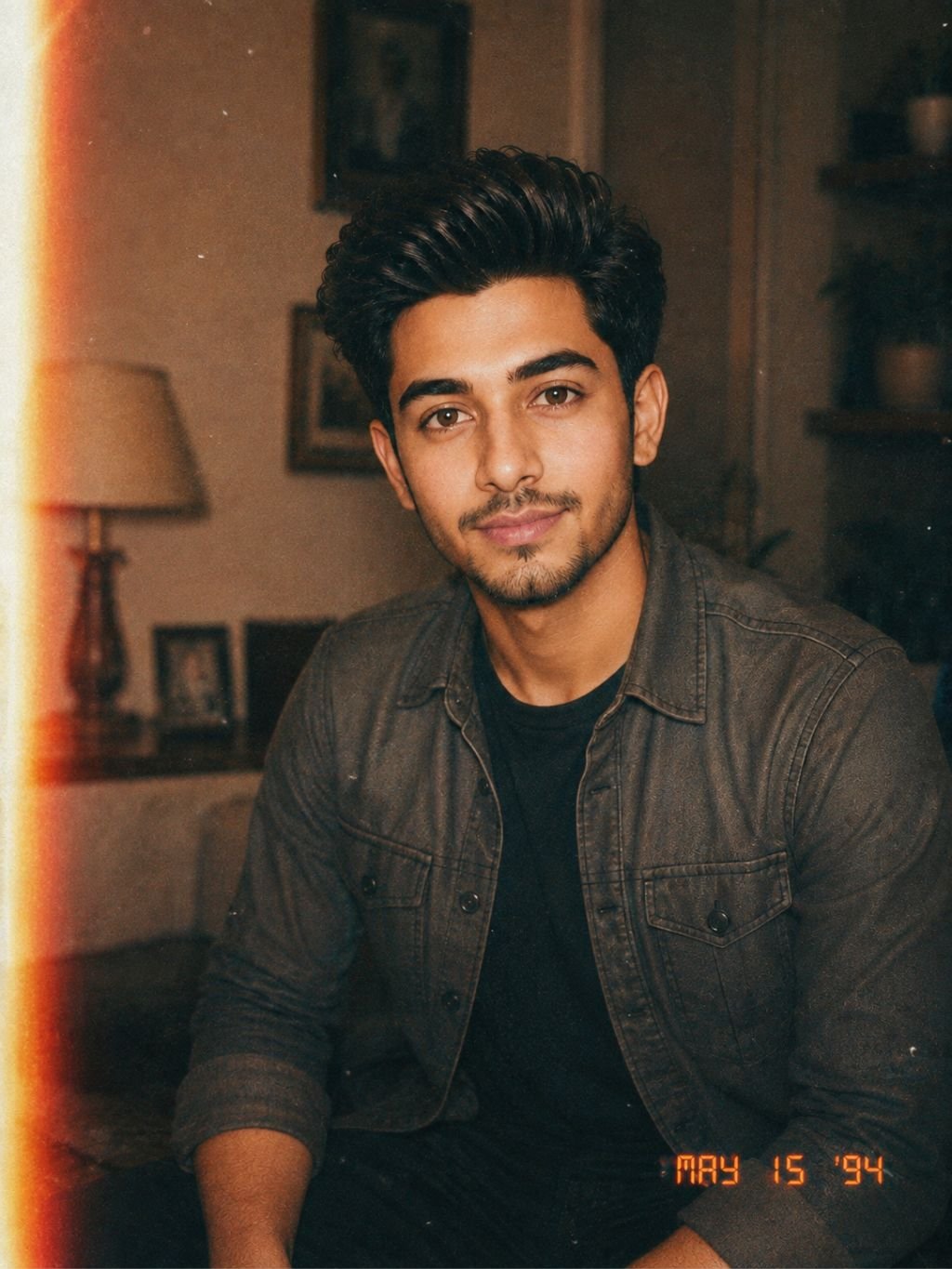
Restyle the uploaded photo to look like a 1990s film photograph, keeping the face the same as the reference. Warm faded colors, soft grain, a slight light leak on one side, and a small [orange] date stamp in the corner reading “[DATE]”. Casual candid feel, as if shot on an old point-and-shoot camera.
This look leans on nostalgia, which is a big driver of shares and saves. The details “warm faded colors,” “soft grain,” and “light leak” recreate the imperfections of old film, and those imperfections are exactly what make it feel real. The “date stamp” is a small touch that Nano Banana renders well and that instantly reads as a 90s photo.
Change the date stamp text and color in brackets to match the era you want. You can swap “point-and-shoot” for “disposable camera” for a rougher, more casual look. Adjust the color warmth if it feels too strong.
Pick a candid, everyday photo rather than a polished one — the whole appeal is that it looks unplanned. If the effect is too subtle, add “heavy film grain” and “slightly blurry.” Keep the date short and simple so it stamps cleanly.
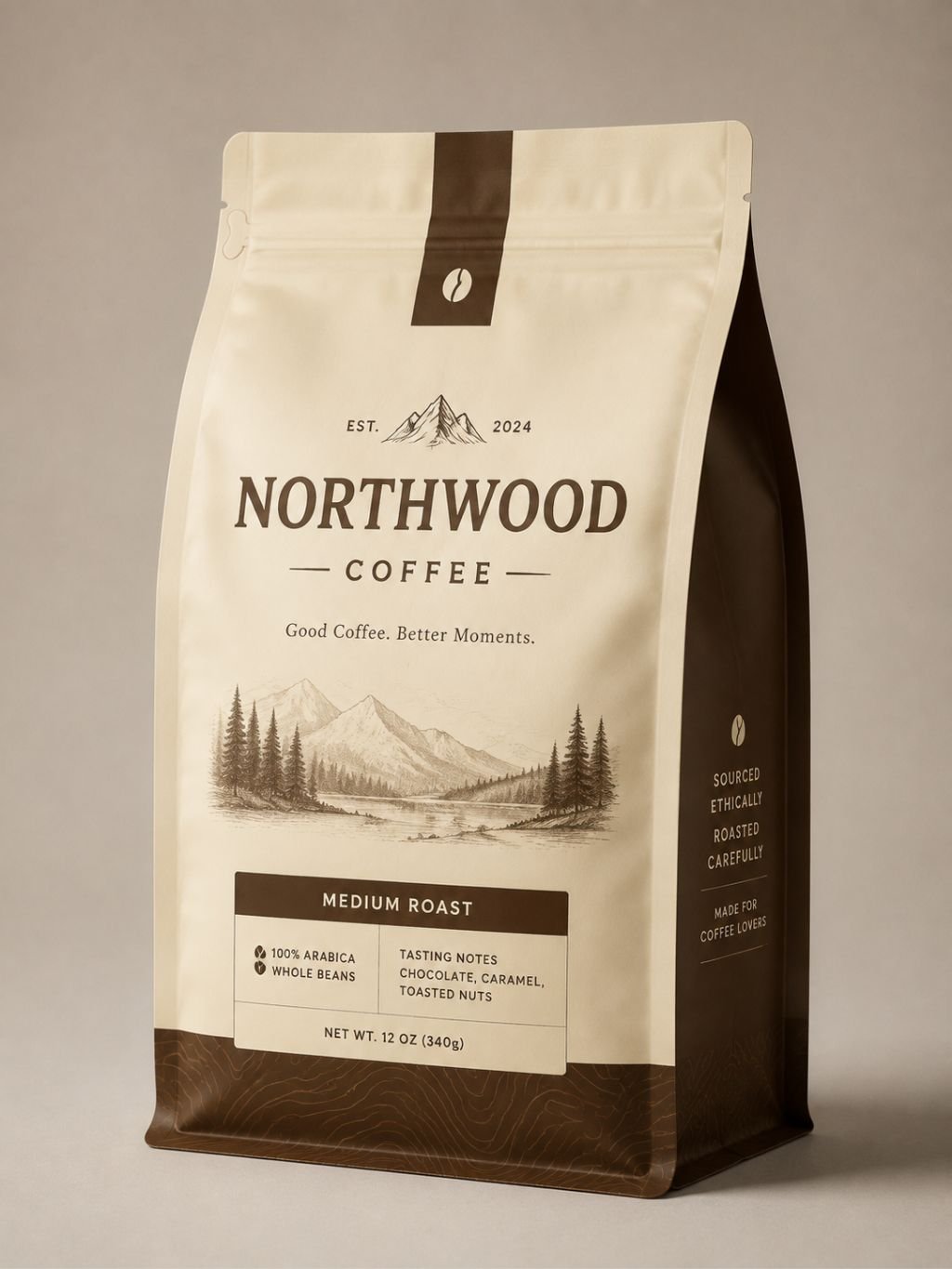
Design a realistic product mockup of a [coffee bag] with the brand name “[BRAND]” printed clearly on the front and a short tagline “[your tagline]” underneath. [Minimal modern] label design in [cream and brown] colors, studio product photo on a plain surface with soft shadows. Make all text sharp and correctly spelled.
This is where Nano Banana really stands out — it renders readable, correctly spelled text far better than most image models, which makes it genuinely useful for real work, not just fun edits. The cues “product mockup,” “printed clearly,” and “sharp text” guide it toward a clean commercial photo. This one is popular with small sellers and creators who need quick packaging ideas.
Change the product in brackets — a bag, bottle, box, or jar. Replace the brand name and tagline with your own. Adjust the label style and colors to match your idea. “Minimal modern” is safe, but you can try “bold and colorful” or “premium luxury.”
Keep the brand name short — one or two words render the cleanest. State the label style clearly so the design has direction. If the text has small errors, run it again, as spelling improves across attempts. This prompt does not need a photo of a person.
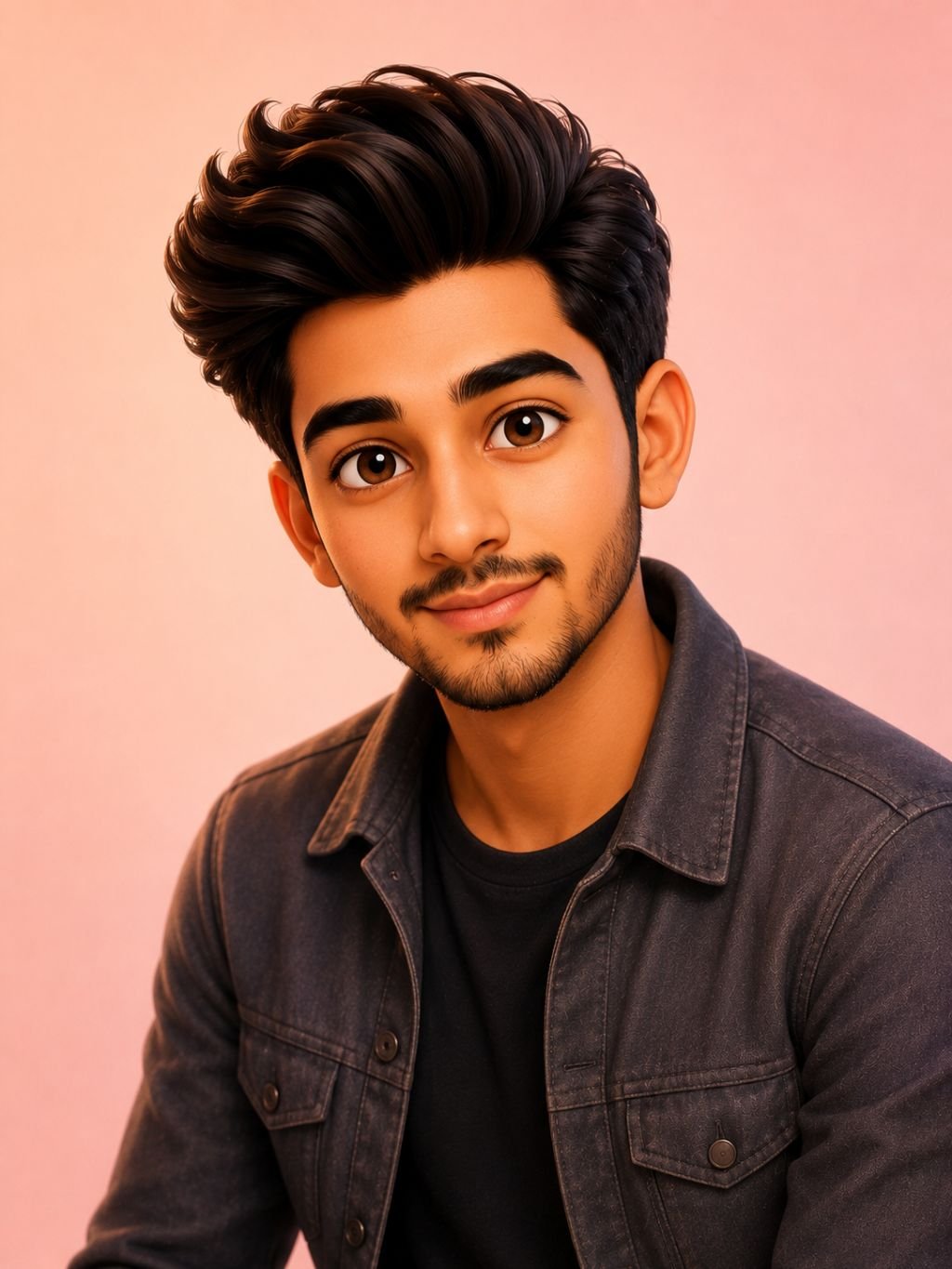
Turn the person in the uploaded photo into a friendly 3D animated cartoon character in the style of a modern animated movie, keeping their key features recognizable. Big expressive eyes, smooth shading, soft studio lighting, and a simple [pastel] background. Warm, playful, high-detail 3D render.
Cartoon avatars are hugely popular for profile pictures and social posts. This prompt asks for a “modern animated movie” style, which gives that polished, rounded 3D look people love, while “keeping key features recognizable” makes sure it still resembles you. “Smooth shading” and “soft studio lighting” are what give it a clean, finished render rather than a rough sketch.
Change the background color in brackets to suit the mood — pastels feel soft and friendly, while a bright color feels fun and bold. You can add an expression like “big smile” or a small prop.
Use a clear photo with a visible face so the model has features to work from. Avoid naming specific studios or copyrighted characters — describe the style instead (“modern animated movie style”). If it looks too flat, add “detailed 3D render, soft depth.”

Using the uploaded photo of my face and the second reference image of a [smokey eye] makeup look, apply that exact eyeshadow and lip color to my photo. Blend it seamlessly, keep my skin texture and features natural and realistic, and do not change my facial features. Soft even lighting, clean portrait finish.
This is a virtual makeup try-on and it needs two uploads — your face and a reference look. The model copies the makeup style from the second image onto yours. The lines “blend it seamlessly,” “keep my features natural,” and “do not change my facial features” are important, because they stop the model from reshaping your face while it adds the makeup. This one is strong in the beauty niche.
Change the makeup style in brackets — smokey eye, soft glam, bold red lip, natural everyday. You can specify just the eyes or just the lips if you only want one changed.
Upload a clear, front-facing photo of your face with good lighting. Use a sharp reference image where the makeup is easy to see. If the result changes your face too much, add “keep my exact face, only change the makeup.”
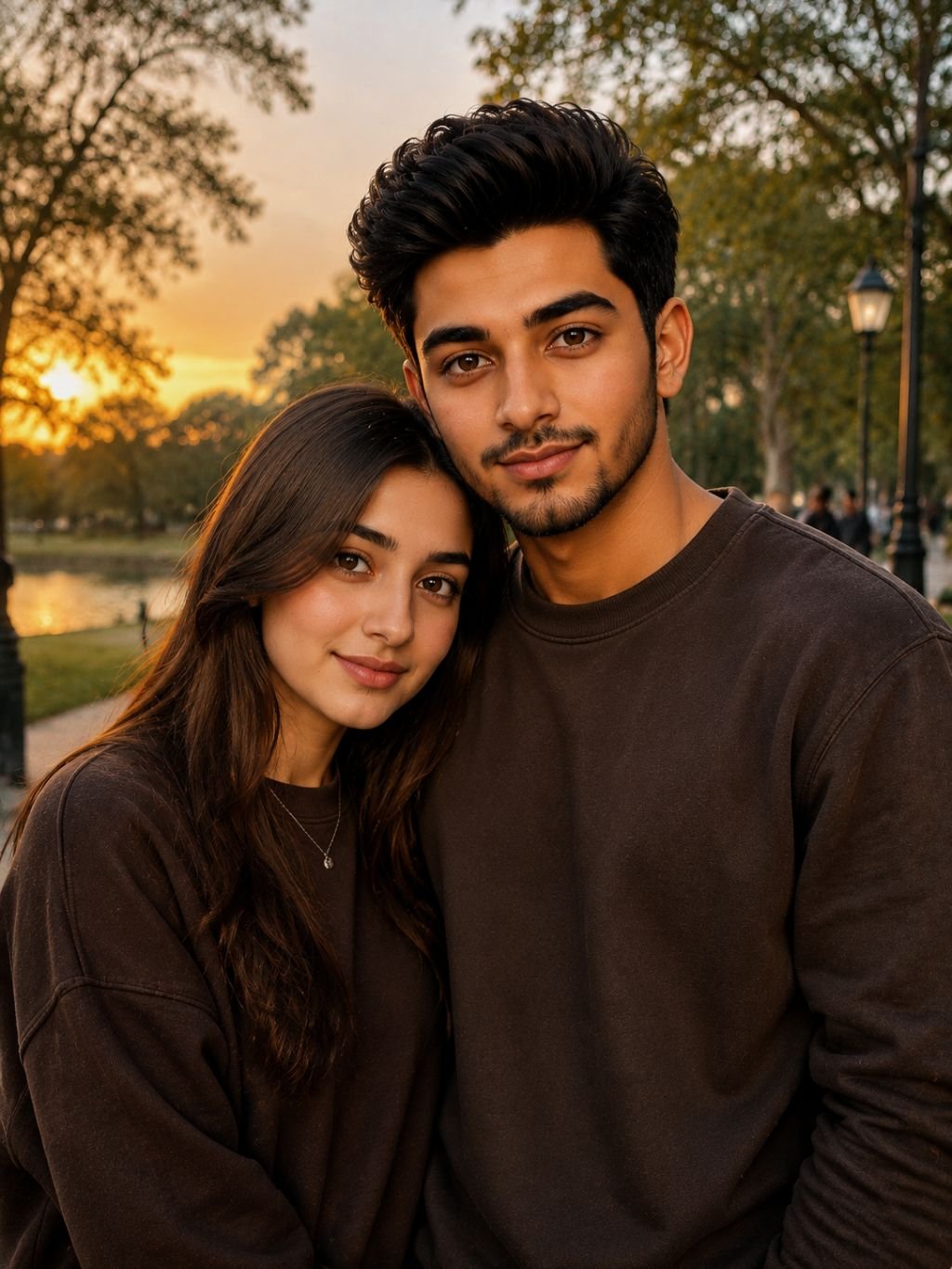
Using the two uploaded photos, create one natural portrait of both people standing together as a couple, keeping both faces true to the references. Dressed in [matching casual outfits], a [soft sunset park] background, warm golden-hour lighting, and a relaxed candid pose. Both faces sharp and evenly lit.
This edit merges two separate photos into one believable couple portrait, which is popular for anniversaries, gifts, and social posts. The model needs both faces “true to the references,” and “both faces sharp and evenly lit” helps it give equal attention to each person instead of blurring one. “Golden-hour lighting” and “relaxed candid pose” make the scene feel warm and real rather than pasted together.
Change the outfits and background in brackets to fit the occasion — a park, a beach, or a studio. Adjust the lighting mood. You can describe the pose, such as “standing close, both smiling.”
Upload two clear, front-facing photos of similar quality and lighting. If one face looks off, add “keep both faces exactly as in the references.” Since blending two people is tricky, run it a few times and choose the most natural result.
Which Nano Banana look will you try first?
Copy any prompt above, upload your photo in Gemini, and change the bracketed parts to make it yours. Small tweaks to text, color, and background give very different results.