

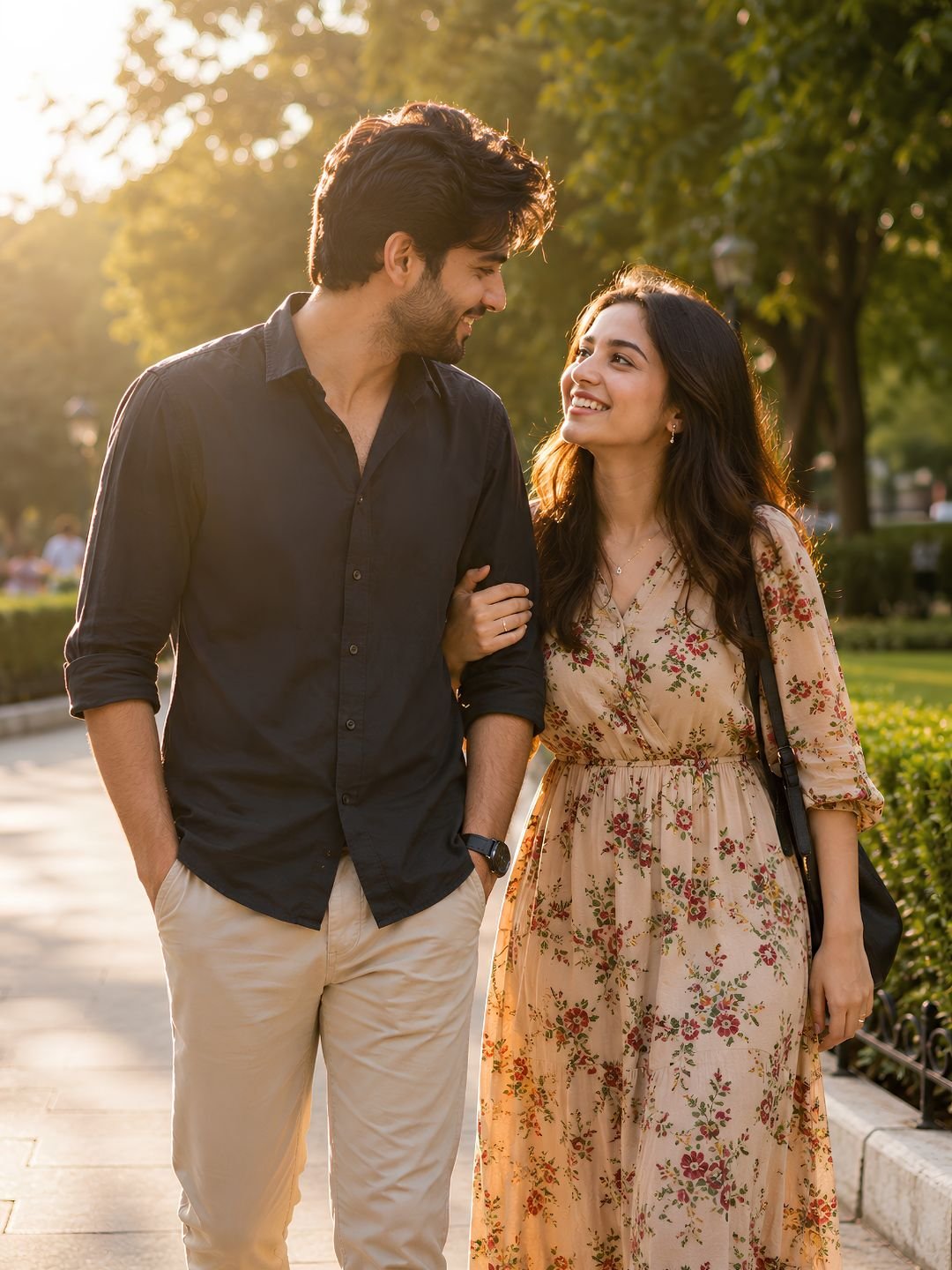
This couple pose prompt creates a warm, natural photo of two people together, with soft flattering light and a relaxed romantic pose. It avoids the stiff, staged look most AI couple shots fall into. Paste it into Gemini or ChatGPT and it delivers a photo-realistic couple portrait that works for pre-wedding shoots, anniversary posts, or social profiles.
The prompt
A romantic couple portrait of a young man and woman standing close together outdoors at golden hour, foreheads gently touching, natural relaxed pose, soft warm backlight creating a gentle glow around them, blurred park background, candid expressions, shot on 85mm lens, shallow depth of field, photorealistic, warm colour grade, 8K detail.
What this prompt does
Couple shots go wrong when the pose looks posed or the two people feel pasted together. Each phrase here fixes that.
- Foreheads gently touching gives the model a specific, natural point of connection. Vague prompts produce two people standing awkwardly side by side.
- Golden hour, soft warm backlight wraps both faces in flattering light and creates a glow around the edges, which is what makes couple photos feel romantic.
- Candid expressions stops the model from rendering two frozen, camera-staring smiles. Candid reads as genuine.
- 85mm lens, shallow depth of field blurs the background and flatters faces, the standard lens choice for portrait and wedding photographers.
Best settings
| Aspect ratio | 3:4 for portraits, 3:2 for a wider scene |
| Gemini | Works as-is. To use real faces, upload a photo of the couple and add “keep both faces”. |
| ChatGPT | Add “natural skin texture, candid photograph” so expressions stay believable. |
| Midjourney | Add –ar 3:4 –style raw for a more photographic, less glossy result. |
3 variations
Indoor cosy version
Replace “outdoors at golden hour” with “indoors by a window with soft morning light” and “blurred park background” with “cosy blurred living room”. This gives an intimate, at-home feel instead of an outdoor shoot.
Walking candid version
Change “standing close together” to “walking hand in hand along a tree-lined path, mid-step, laughing”. Motion and laughter make the shot feel spontaneous rather than posed.
Traditional outfit version
Add a wardrobe line such as “both wearing elegant traditional outfits”. Keep the golden-hour light and 85mm lens. This suits engagement and cultural celebration posts.
Common mistakes
- No point of contact. Without “foreheads touching” or “holding hands”, the model places two people apart and the photo feels disconnected.
- Both staring at camera. Two direct smiles look stiff. Ask for candid expressions or have them looking at each other.
- Harsh midday light. Overhead sun creates unflattering shadows. Golden hour or soft window light always looks better.
- Mismatched faces. When using real photos, upload a clear shot of both people; a blurry source often merges or distorts one face.
Frequently asked questions
Does this couple pose prompt work in ChatGPT?
Yes. Paste it into ChatGPT with image generation and add “candid photograph, natural skin texture” so the couple looks relaxed rather than stiff.
Can I use real photos of me and my partner?
Upload a clear photo of both faces and add “use the uploaded photo, keep both faces”. Well-lit, front-facing source photos give the closest match for two people.
Why does the pose look stiff?
Add a specific action and emotion: “laughing together”, “looking into each other’s eyes”. Vague prompts default to a stiff, camera-facing stance for both people.
Is this good for pre-wedding or engagement photos?
Yes — the golden-hour, 85mm style is exactly what pre-wedding shoots use. For the final images, work from real photos of the couple so the faces are accurate.
More prompts like this
For single-person shots, the night street portrait prompt uses the same warm, cinematic lighting. For a more dramatic couple mood, try the neon look from the cyberpunk neon portrait prompt. See more in our 15 realistic AI portrait prompts guide.
Browse all image prompts.