

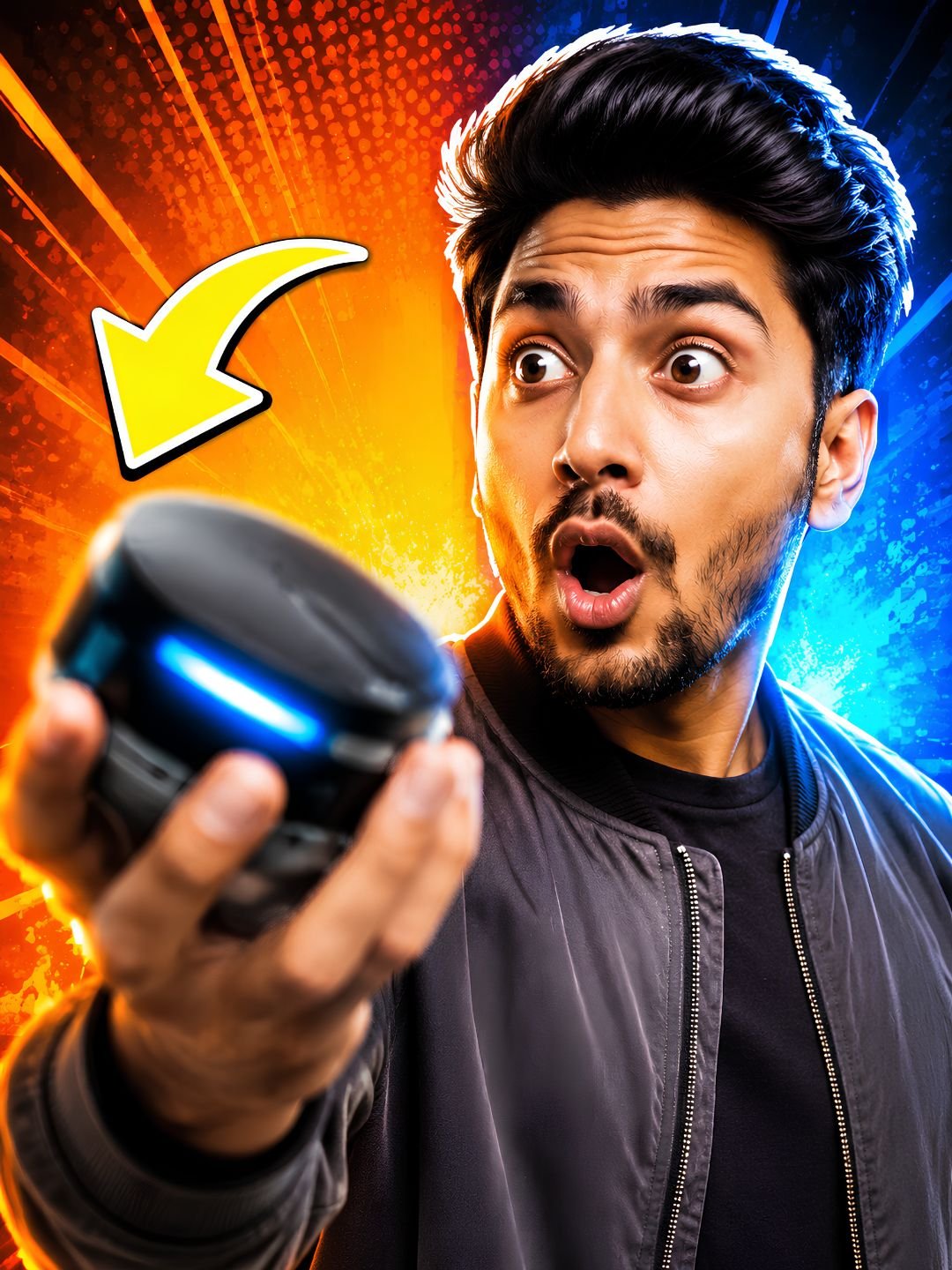
This YouTube thumbnail prompt is built around one goal: getting clicked at small sizes. It combines an exaggerated facial expression, one strong color block, and empty space reserved for your title text. Paste it into ChatGPT, generate, then drop your text on top in Canva — the whole thumbnail takes under five minutes.
The prompt
A bold YouTube thumbnail featuring a person with a surprised expression, bright contrasting colors, dramatic studio lighting on the face, clean graphic background with a strong color block, high energy, sharp detail, space on one side for text.
What this prompt does
Thumbnails are seen at the size of a postage stamp, and every phrase here is chosen for that.
- Surprised expression is the highest-clicking emotion on YouTube. Faces with strong emotion outperform neutral faces because they read instantly, even tiny.
- Strong color block makes your video stand out in a feed full of busy, detailed thumbnails. One flat, saturated color behind the subject beats a realistic background every time.
- Dramatic studio lighting on the face separates the face from the background. Without it, the subject blends in and the thumbnail turns to mush at small sizes.
- Space on one side for text is the phrase most people forget. Without it, the model fills the whole frame and you have nowhere to put your title.
Best settings
| Aspect ratio | 16:9 — ask for it directly, or crop to 1280×720 afterwards |
| ChatGPT | Works as-is. To use your own face, upload a photo and add “use my uploaded photo, keep my facial features, exaggerate the expression”. |
| Gemini | Same approach. Gemini handles bright saturated colors especially well. |
| Text | Never ask the AI to write the title text — it misspells. Add text in Canva afterwards. |
3 variations
Tech review style
Add “holding a smartphone toward the camera” and change the color block to “electric blue”. Pointing at or holding the product is the standard grammar of tech thumbnails, and viewers recognise it instantly.
Shock or drama style
Change “surprised expression” to “shocked expression with hands on head” and add “red arrow pointing at the subject”. Louder and more clickbait-flavored — it works, but match it to content that delivers, or your retention suffers.
Faceless version
Remove the person entirely: “A bold YouTube thumbnail showing a glowing treasure chest on a flat orange background, dramatic top lighting, sharp detail, space on the left for text.” Swap the object for whatever your video is about. Works well for gaming, finance and list videos.
Common mistakes
- Letting the AI write text. AI-generated lettering is misspelled or warped almost every time. Generate the image clean, add text yourself.
- Too much detail. A cinematic, detailed scene looks great full-screen and unreadable at thumbnail size. Simple always wins in the feed.
- Three or more colors. Pick one dominant color block plus one accent. More than that and nothing stands out.
- Mismatched thumbnail and title. If the thumbnail promises shock and the video is calm, viewers leave in seconds — and YouTube reads that as a bad video.
Frequently asked questions
Does this YouTube thumbnail prompt work in Gemini?
Yes, without changes. Gemini and ChatGPT both handle this prompt well; Gemini tends to produce slightly more saturated colors, which suits thumbnails.
What size should a YouTube thumbnail be?
1280×720 pixels, 16:9 ratio, under 2MB. Generate large, then crop and compress — never stretch a small image up.
How do I put my own face in the thumbnail?
Upload a clear photo of your face to ChatGPT or Gemini first, then add “use my uploaded photo as the subject, keep my facial features” to the prompt. A well-lit, front-facing source photo gives the best match.
Can AI thumbnails actually increase clicks?
The style itself — big expression, one color block, clear text — is what raises click-through rate, and that is exactly what this prompt produces. Test two versions on the same video with YouTube’s built-in A/B test to see what your audience prefers.
More prompts like this
Building out a full channel look? The minimalist logo design prompt covers your channel avatar, and the product photography prompt is ideal for review-channel thumbnails where the product is the star.
Browse all image prompts.